

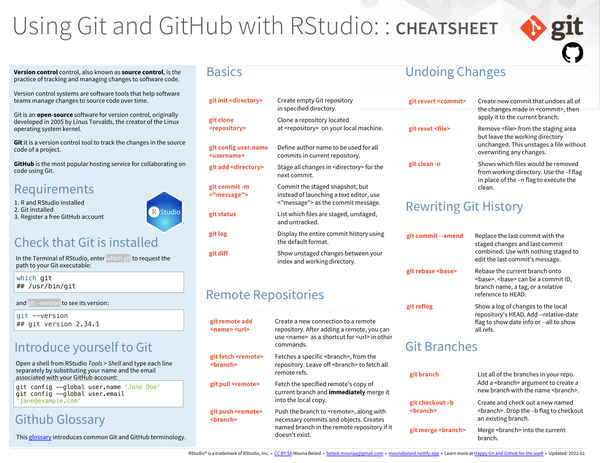
This cheat sheet covers using Git and GitHub from within RStudio, starting from installation and initial configuration through to everyday version-control and collaboration workflows. It documents common Git commands alongside their RStudio equivalents.
What’s covered#
- Requirements and setup – installing Git, registering a GitHub account
- Introduce yourself to Git –
git config --global user.nameanduser.email - Basics –
git init,git clone,git add,git commit,git status,git log,git diff - Remote repositories –
git remote add,git fetch,git pull,git push - Undoing changes –
git revert,git reset,git clean - Rewriting Git history –
git commit --amend,git rebase,git reflog - Git branches – creating, listing, and switching branches